How Little Engine works
Little Engine is the kit independent service providers run their business on.
Get started free
Step 01
Set up your business
Setup happens in the Little Engine app on your iPhone and takes about 10 minutes. Here’s what you’ll set up.
Your business number
You get a new local phone number just for your business, matched to your area code. Clients text and call it like any other number, and your personal number stays private. Texts and calls to your business number come to the Little Engine app, so work stays in one place and your personal phone stays yours.
Your services
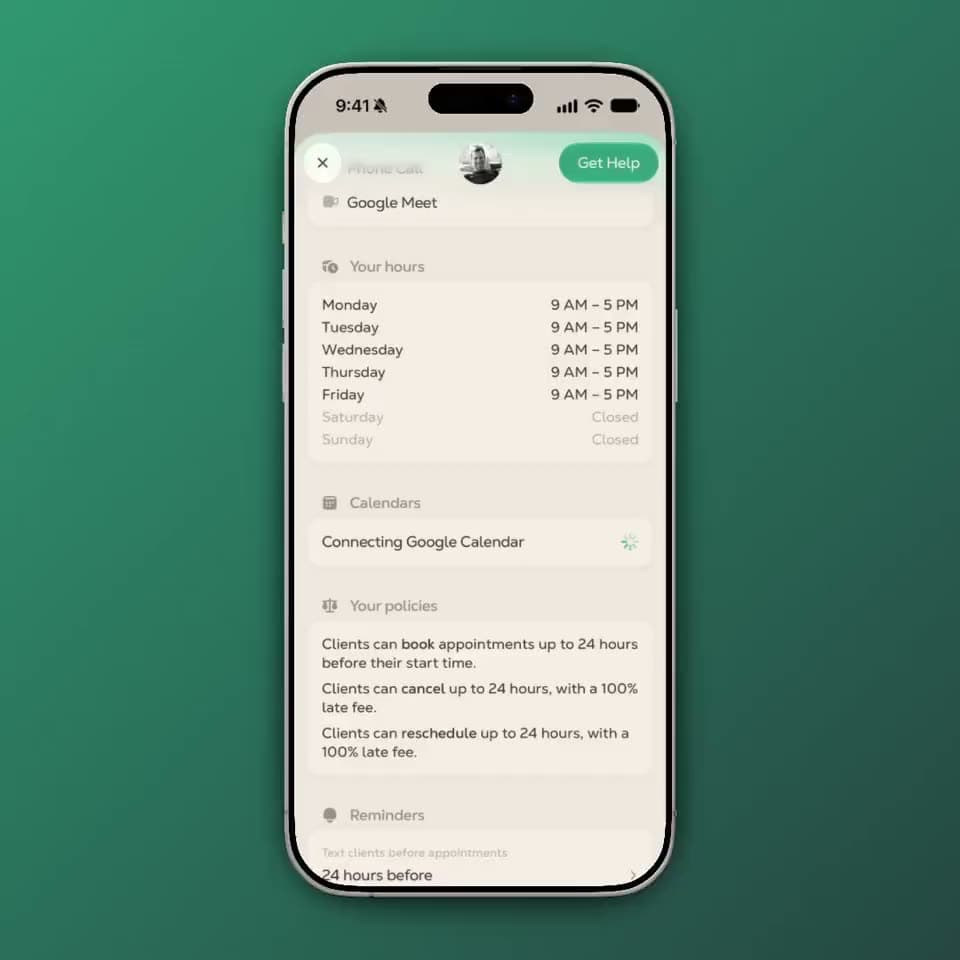
Describe what you offer in your own words, like “60-minute deep tissue massage, $120,” and Little Engine turns it into a service card you can review and adjust. For each service you can set:
- Length and price for each session
- Buffer time before and after, for setup and cleanup
- Where it happens: your location, a client’s home, or a phone, FaceTime, Google Meet, or Zoom session
- Which days you offer it
Your hours and booking rules
You decide when you work and how clients can book. Little Engine upholds your rules every time.
- Business hours: clients only see times you’re actually open.
- Notice: how much heads-up you need before a client can book, from “anytime” up to 72 hours.
- Cancellation and reschedule policies: set the window (for example, 24 hours before) and the late fee that applies inside it.
- Travel time: if you go to your clients, Little Engine accounts for drive time between same-day appointments, so you’re never booked somewhere you can’t reach in time.
Getting paid
Connect your bank account through Stripe, the payment processor behind millions of businesses. This is where your earnings land.
Your calendar
Connect your Google Calendar (one account or several) and your calendar works both ways. Events already on your calendar block that time from bookings, and every Little Engine booking shows up on your calendar. You can also turn an existing calendar event into a Little Engine booking. Apple Calendar support is coming soon.
Step 02
Bring in your clients
Adding a client takes a couple of minutes, and the client does most of it.
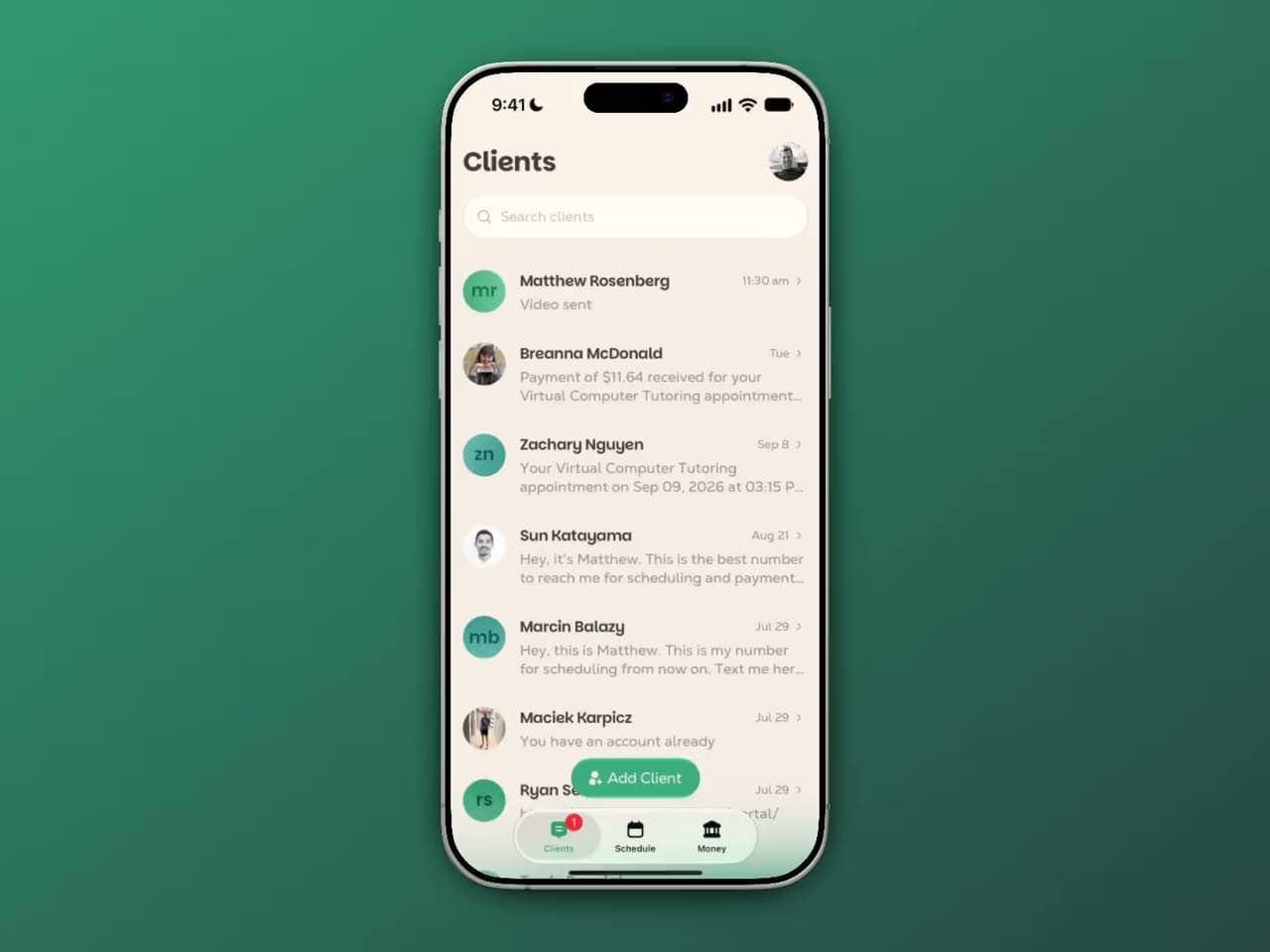
How a client gets set up
- Send the invite. Add a client, and Little Engine texts them from your business number with your message and a setup link, followed by your contact card so your number saves in their phone.
- They fill out a short form. Name, email, and address, plus their okay to receive texts from your business. Their email is how they get a calendar invite for every session.
- They save a payment method. A card or a US bank account, held securely by Stripe. Saving it doesn’t charge anything. Your client also agrees to your cancellation and reschedule policy here, so everyone starts on the same page.
- They book their first session. Right from the same flow.
No app, no password
Your clients never download an app or create a password. Links sign them in automatically, and when a link has expired, a quick text code gets them back in.
Step 03
Run your week by text
Your clients text your business number like always. Little Engine reads each message and suggests the next move, and you stay the one your clients are talking to.
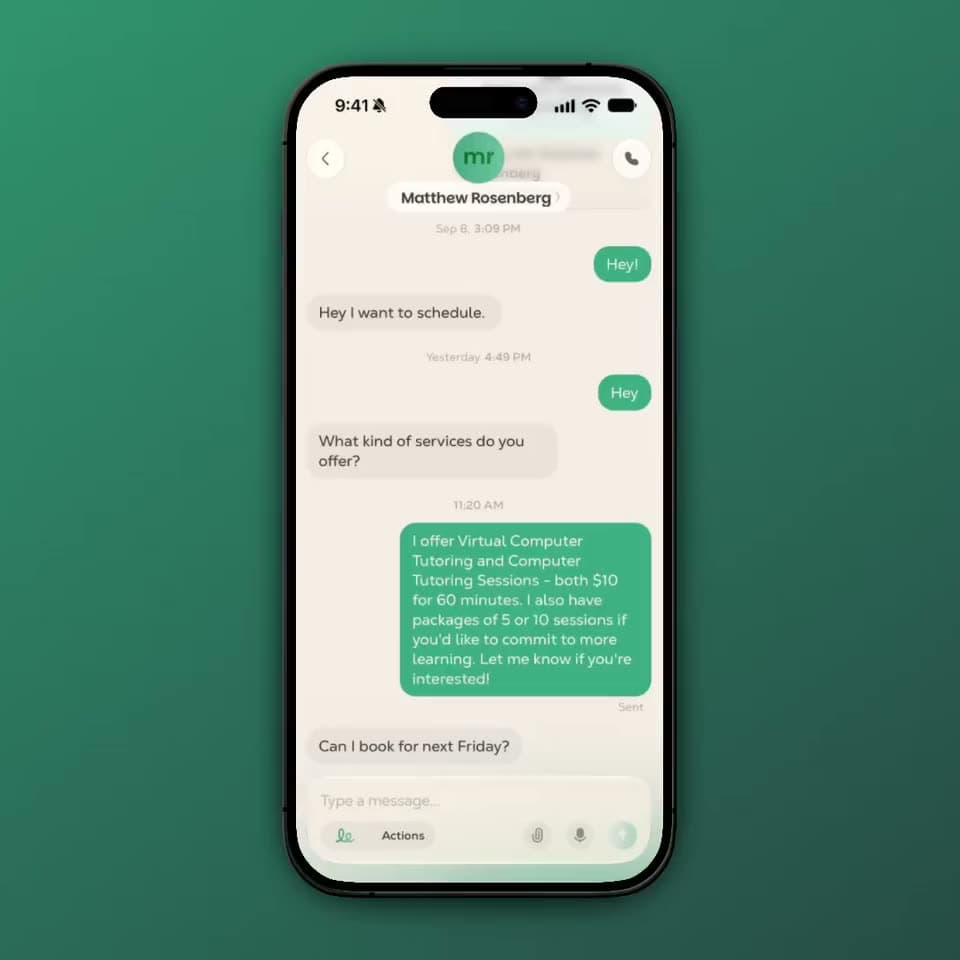
When a client texts
A client texts: “Any chance I can grab a spot Thursday afternoon?” Little Engine suggests the reply that moves things forward, written and ready to go, along with the right link when one is needed. Tap a suggestion, adjust the words if you want, and send. Nothing goes to your client unless you send it.
How clients book
Clients ask for time the way they always have: by texting you. What happens next depends on the request.
- Simple requests get booked on the spot. When a client asks for a specific time and it’s open (“Can I get Thursday at 3?”), Little Engine takes care of it. Approve with a tap, and the session is booked and confirmed by text. No back-and-forth.
- Everything else gets a live booking link. When a request is open-ended or would take a few texts to sort out (“What do you have next week?”), Little Engine sends your client a link to your calendar in real time. They see only the times that actually work: inside your hours, outside your existing bookings and calendar events, with your buffers and travel time already accounted for. They pick one, and it’s booked and confirmed by text instantly.
Faster for everyone
Either way, booking takes a fraction of the time it used to, for you and for your client. Every booking sends your client a calendar invite by email, so it lands right on their calendar. Every provider also gets a public booking page that new clients can use to book with you.
Recurring sessions
For clients on a regular schedule, set up a recurring appointment once (every Tuesday at 6, every other Friday) and it repeats on your calendar. Clients can still move or cancel a single session without touching the rest.
Reminders
Little Engine texts your clients a reminder before each session, so fewer people forget. You choose the timing: 72 hours, 48 hours, 24 hours, or 1 hour before, or a mix. The default is 24 hours.
Reschedules and cancellations
Clients reschedule or cancel the same way they book: by texting you. Little Engine suggests the reply and the next step, so a change that used to take a string of texts takes one. Clients can also use the link from their confirmation to make the change themselves anytime. Either way, they get a confirmation by text. If the change falls inside your window, your client sees your policy and the fee before they confirm, so there are no surprises.
Whether the fee actually gets charged is always your call. Charge it, waive it for a regular who’s been great, or make an exception when life happens. Little Engine just makes it easy to do either, without an awkward conversation.
Step 04
Get paid automatically
No invoices, no Venmo requests, no texting anyone after a session to square up.

Payments that collect themselves
The day before a session, Little Engine checks that your client’s card is good. A few minutes after the session starts, it charges the card on file automatically. Your client gets a payment confirmation by text, with a receipt they can open anytime.
Card or bank account
Clients can pay by card or straight from a US bank account. Bank payments take a few days to clear, and Little Engine texts your client when a bank payment is processing and when it’s received.
Late fees, your call
If a client cancels or reschedules inside your window, you decide whether the late fee applies. Little Engine shows you the fee and lets you charge or waive it in a tap, so you keep full control without chasing anyone for it. For package sessions, a late cancellation uses one session instead of a fee.
Your payouts
Your earnings go from Stripe straight to your bank account. Your Money tab shows what you’ve earned, what’s on the way, what’s coming from upcoming bookings, and anything that needs your attention.
Packages
Sell sessions in blocks: 5 sessions, 10 sessions, whatever you offer. Your client pays upfront, and every time they come in, Little Engine uses one session from their package instead of charging their card. Each confirmation shows how many sessions they have left, so neither of you has to keep count.
Clients can buy a package from a link you send or from your booking page. If a client needs a refund partway through, it’s prorated to the sessions they didn’t use.
Every client, in one place
Each client has a profile with their full history: past and upcoming sessions, every payment, their packages, their saved payment methods, and how much they’ve spent with you over time. No more digging through old texts or past Venmos to remember where things stand.
What it costs
Little Engine is free for you. No monthly fee, no subscription, no lock-in.
Your clients pay a $1 service fee per booked appointment, plus standard payment processing fees (2.9% + 30¢ for cards, or 0.8% capped at $5 for bank payments). These are added at checkout, so the price you set is the price you receive.
Who it’s for
Little Engine is built for independent service providers who run their business by text and charge by the session or the package: personal trainers, hair stylists and barbers, bodyworkers and massage therapists, tutors, dog walkers and groomers, coaches, yoga instructors, cleaners, and more. It’s available today on iPhone in the United States.
Questions providers ask
Do my clients need to download an app?
No. Everything happens from the conversation. Clients text your business number like any other number, and booking, rescheduling, and paying all start right there. When a step needs more than a text, like picking from your open times or saving a card, they tap a link in the conversation and finish it in seconds. No app, no account, no password.
Does Little Engine text my clients for me?
Only the routine messages you’d otherwise send by hand: appointment reminders, booking and change confirmations, payment confirmations, and receipts. Anything conversational is a suggestion you review and send yourself. Nothing goes out in your name without you.
What happens when a client texts to book?
Little Engine reads the message and suggests a reply. If the client asked for a specific open time, you approve it with one tap and it’s booked and confirmed. If the request is open-ended, like “what do you have next week?”, the suggestion includes a link to your live calendar, where the client sees only times that actually work.
Can I edit a suggested reply before it goes out?
Yes. Tap the suggestion, change any words you want, and send. You can also ignore it and write your own.
Can I keep my current phone number?
Little Engine gives you a new local business number, so your personal number stays private. Moving an existing number to Little Engine isn’t available yet.
When do I get paid?
Your client’s card is charged a few minutes after each session starts, and the money is paid out from Stripe to your bank account.
What happens if a client cancels last minute?
Clients see your cancellation policy and any late fee before they confirm. Whether the fee is charged is always up to you: charge it or waive it in a tap.
Does it work with my calendar?
Yes. Little Engine works with Google Calendar and syncs both ways: your calendar events block time, and your bookings show up on your calendar. Your clients get a calendar invite by email for every session. Apple Calendar support is coming soon.
How does travel time work if I go to clients’ homes?
Little Engine accounts for drive time between same-day in-home appointments, so clients can’t book you somewhere you can’t reach in time.
Can I offer phone or video sessions?
Yes. Each service can happen at your location, at a client’s home, or by phone, FaceTime, Google Meet, or Zoom.
Is there an Android version?
Not yet. Little Engine is on iPhone today. Your clients can use any phone, Android included, since they just text your business number and tap links.
Is my clients’ payment information safe?
Cards and bank details are held by Stripe. Little Engine never stores full card numbers, only the last four digits so you can tell cards apart.
Can clients stop receiving texts?
Yes. Replying STOP opts a client out of texts from your business number, and Little Engine honors it immediately.
Connect your Google Calendar
Providers connect Google Calendar so Little Engine can read their calendars and events to check availability and help avoid scheduling conflicts.
Little Engine also creates and updates appointment events on calendars you own, and removes them when appointments are canceled. This keeps your calendar in sync with bookings and schedule changes.
Read our privacy policy for details about how we use and protect your data.
Ready to take some of the work off your plate?
Setup takes about 10 minutes, and Little Engine is free for you.